Safety compliance automation in construction: What works

Safety compliance automation on a construction or infrastructure project means using software to read project documents, compare them with the applicable safety rules, flag gaps, and track every corrective action until it is closed. Done well, it removes the clerical part of compliance (searching, cross-checking, formatting, chasing) and leaves the judgment to qualified people. Done badly, it produces confident-looking checklists that nobody can trace back to a source.

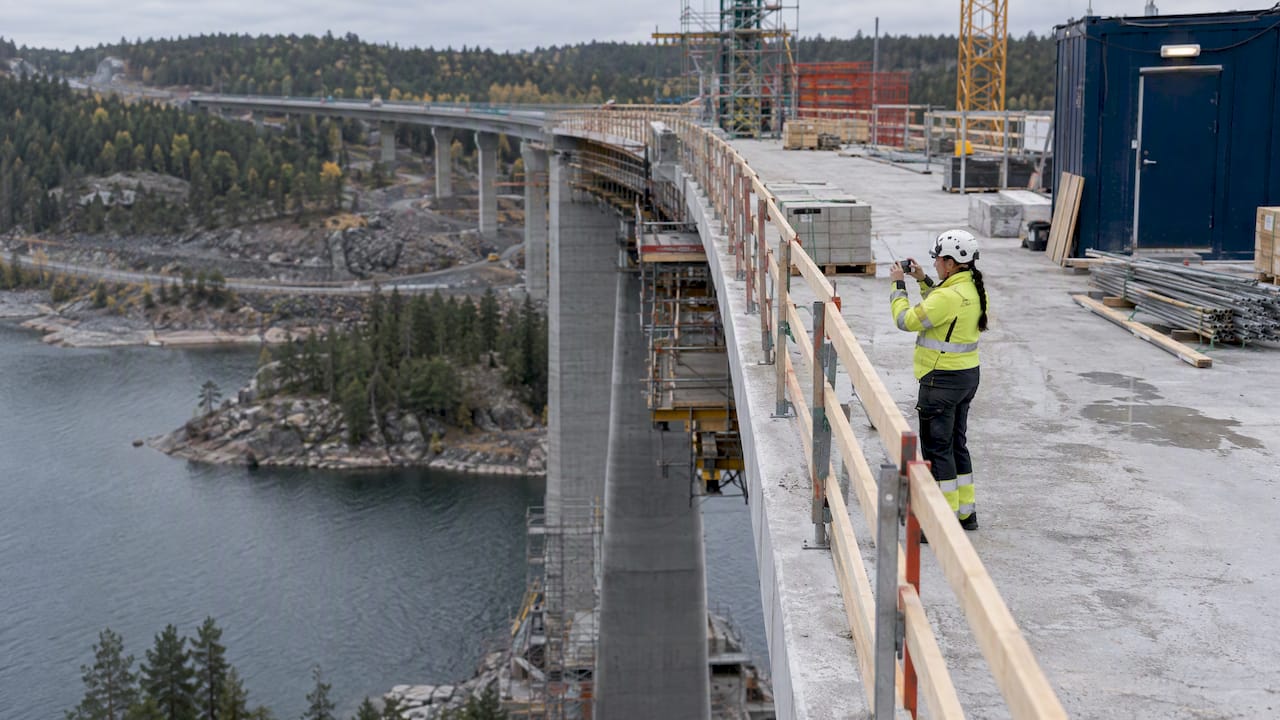
Inspector documenting bridge-site safety conditions

Most pages that rank for this phrase describe IT audit tooling: evidence collection for security frameworks and policy management. The problem on a job site is different. The rules concern excavations, falls, lifting, temporary works and hazard follow-up, and the evidence is scattered across drawings, method statements, inspection records, photos and e-mail threads. This article covers that second problem.

TL;DR

  • Safety compliance automation in construction covers reading documents against requirements, flagging gaps, generating records and tracking corrective actions to closure.
  • The strongest candidates are repetitive, document-heavy tasks: requirement extraction, plan and method statement reviews, inspection logs, hazard registers and trend reporting.
  • AI can extract requirements from regulations, detect conditions in site images and draft documentation, but a qualified person still signs off every conclusion.
  • Automated checking works best on prescriptive rules. Outcome-based duties, such as the UK’s CDM 2015, remain a weak spot and need human judgment.
  • Roll out in stages, with specialists involved, field testing, training and a feedback loop, and keep every finding traceable to its source.

What safety compliance automation means on a project

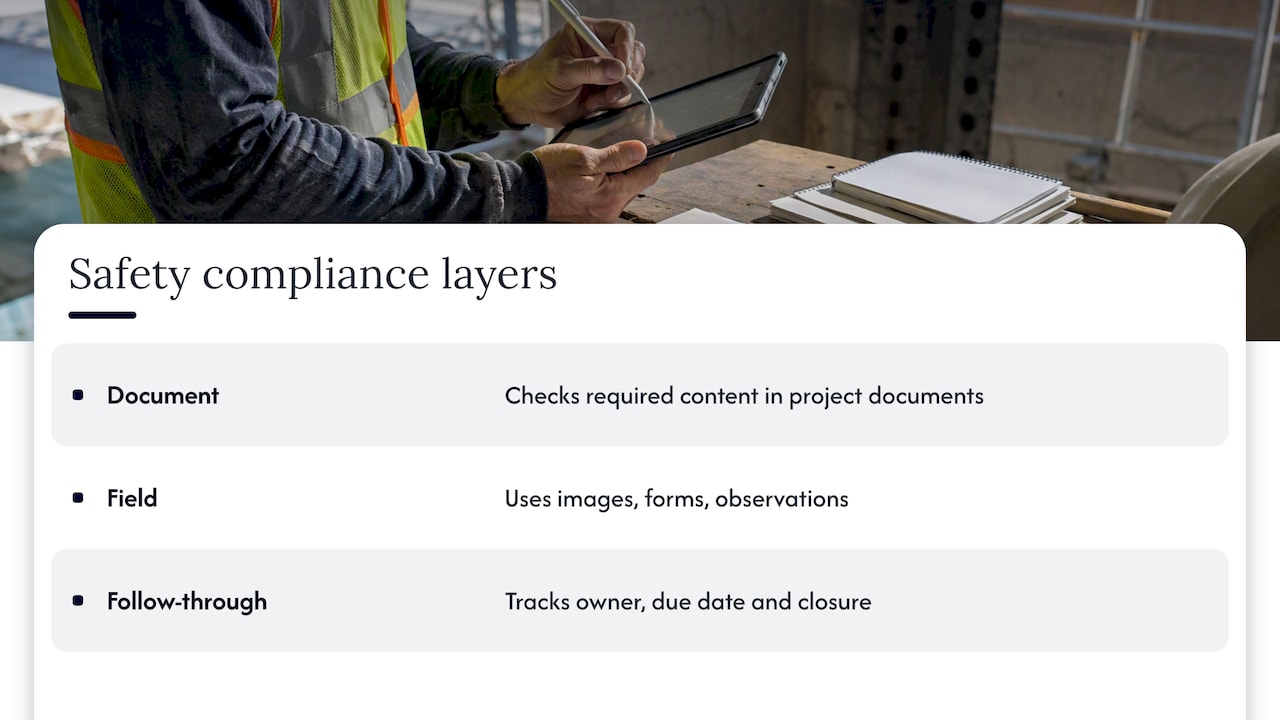
The term covers three layers of work that are often confused.

Three layers of construction safety compliance automation

The first is document compliance: does the method statement, risk assessment, design or tender package contain what the regulation, the client’s standard and the contract require? Academic work on UK infrastructure describes automated compliance checking that assesses designs against health and safety regulations and returns one of three results: pass, fail or unknown. The third result matters. A system that can say “unknown” is admitting where a human must look, which is a far better design than one that always answers.

The second is field compliance: do conditions on site match the requirements? Here the input is images, inspection forms and observations rather than drawings.

The third is follow-through: once a hazard or nonconformance has been found, who owns it, when is it due, and has it actually been closed? This is where most paper-based systems quietly fail, and where automation produces the most visible improvement.

None of this replaces the safety manager, the competent person or the engineer of record. It changes what they spend their hours on.

Which safety compliance tasks and documents can be automated

A useful rule: automate the work that is repetitive, rule-driven and evidenced by documents. Keep the work that depends on reading a situation, a crew or a site’s particular geometry with people. In practice the split looks like this.

Task Automation fit What the reviewer still checks
Extracting safety requirements from regulations, contracts and client standards High That the extracted requirement matches the governing version and the project’s jurisdiction
Checking method statements and risk assessments for missing elements High That the controls described are adequate for the actual work
Cross-checking drawings and specifications against safety requirements Medium to high Anything the system marks unknown, plus all judgment calls
Compiling inspection records, toolbox talk logs and daily reports High Accuracy of the underlying observations
Maintaining a hazard register with owners and due dates High Whether the proposed corrective action actually removes the hazard
Trend analysis of incidents, near misses and inspection findings High Whether the pattern reflects reality or reporting habits
Detecting conditions in site photos Medium Every flagged and every unflagged image that matters
Assessing outcome-based duties such as planning, coordination and competence Low Everything
Stop-work decisions, permit authorization, sign-off None These remain human decisions

The low rows are not a temporary gap. Research from the United Kingdom reports that existing automated compliance checking focuses mainly on prescriptive, object-based regulations, leaving process-oriented, outcome-based duties such as those under CDM 2015 largely uncovered. A rule that says a guardrail must be a certain height can be tested against a model. A duty to plan, manage and monitor work so that risks are controlled cannot be tested in the same way, because the evidence is a pattern of behavior rather than an object.

Requirement extraction

The least glamorous task is often the most valuable. A project may be governed by federal regulation, state rules, the owner’s safety standard, a insurer’s requirements and the contract’s own appendices. Reading all of them and building one requirement list is slow, and it is where omissions begin. Research from the University of Illinois shows that AI can extract safety requirements from OSHA regulations, and the same capability applies to contract documents and owner standards.

Inspection and image evidence

The same Illinois work describes systems that detect site conditions in images, identify noncompliances and generate documentation. This is useful for coverage: a system can screen thousands of photos that nobody would otherwise open. It is not a substitute for a competent person on site, because a photo shows a moment and an angle, not a work method.

How an automated workflow runs, step by step

The sequence below is the one that holds up in audits, because each step leaves a trail.

  1. Collect the project documents. Contracts, drawings, specifications, method statements, permits, previous inspection records and the owner’s standards go into one searchable body of project knowledge.
  2. Build the requirement set. The system extracts obligations from the governing regulations and standards, with the clause each one comes from.
  3. Check the deliverables against it. Each plan, statement or design is tested against the requirements. Results come back as pass, fail or unknown, each with the passage that supports it.
  4. Record assumptions. Where the system had to interpret something, the interpretation is written down so a reviewer can accept or reject it, as they would with a colleague’s working.
  5. Route findings to owners. Every gap becomes an action with a responsible person and a due date.
  6. Track to closure. Hazards found during site reviews are recorded, and those not corrected immediately stay open until abated. That is the practice described in an OSHA partnership agreement for a data center project in Atlanta, where uncorrected hazards are tracked until abatement is complete.
  7. Measure and learn. OSHA’s Safety Champions guidance recommends tracking leading indicators such as the frequency of hazard inspections, worker participation and timely completion of corrective actions, and its advanced step calls for regular trend analysis to set future goals.

Step 7 is where automation changes the economics. Lagging indicators, such as recordable incidents, arrive after the harm. Leading indicators arrive early, but collecting and aggregating them by hand is tedious enough that many teams never do it consistently. A professional article from the Institution of Civil Engineers notes that AI surrogate modelling can infer the development of leading indicators from lagging data, which suggests a direction, though any such inference deserves scrutiny before it drives decisions on a live project.

Putting hazards where they can be seen: The BIM connection

One of the more concrete examples comes from Finland-based contractor YIT. A case study published by EU-OSHA describes how safety observations were integrated into BIM models so that teams could locate and address risks spatially. A hazard that is a row in a spreadsheet is easy to ignore. A hazard pinned to a location in the model, next to the work package that will occupy that location next week, is much harder to ignore.

This is also where document and model work meet. Teams already extracting quantities and checking designs from models can attach safety requirements to the same objects. Our notes on keeping human sign-off with AI for BIM and on engineering compliance checks that keep audit proof go into the mechanics.

What AI adds, and what it must not decide

General-purpose chat tools can summarize a safety regulation. That is not the same as completing a compliance review. A review means holding a requirement set, a stack of project documents and a set of assumptions in mind at once, producing a result that someone else can audit, and doing it again next week when a revision lands.

The gains reported for AI in engineering are real but uneven. The ICE article cites computational time reductions of more than 98 percent in many cases for AI used to approximate heavy analysis, which concerns simulation rather than safety paperwork. It would be a mistake to transfer that figure to compliance reviews. The honest claim for document work is narrower: the search, comparison and drafting steps shrink dramatically, and the review step remains.

That review step is where qualified people earn their role. Before accepting any automated result, a reviewer should verify:

  • The source. Does the cited clause exist, is it the current version, and does it apply in this jurisdiction and to this type of work?
  • The reading. Did the system interpret the requirement as the regulator intends, or only as the words suggest?
  • The unknowns. Every “unknown” is an instruction to look. Treat a pass with no cited evidence as an unknown.
  • The omissions. What was not checked? A tool that reviewed the method statement but never saw the permit has said nothing about the permit.
  • The consequence. Anything touching life safety, structural stability or a stop-work decision is signed by a named, competent person, not by a system.

The point of traceability is that this review is fast. A reviewer who can click from a finding to the exact passage spends minutes. A reviewer facing an unexplained verdict must redo the work.

Benefits by role

Contractors gain time on the recurring documents (daily logs, inspection records, permits) and a hazard register that actually closes. Our guide for project managers on audit-ready construction safety compliance steps covers that routine in detail, and the piece on reporting automation for daily logs covers the reporting side.

Consultants benefit from faster document processing: the same requirement set applied consistently across many submissions, with each finding sourced.

Engineering firms use automation for rapid compliance reviews, especially in design stages where safety-in-design obligations must be demonstrated rather than merely asserted.

Project owners gain comparability. When every contractor’s safety plan is tested against the same requirement set, differences become visible, and quality can be standardized across a portfolio instead of renegotiated project by project.

Jurisdiction and limits

Safety law is local. The documents that satisfy OSHA in the United States do not satisfy the UK’s CDM 2015, the EU’s framework directives or a national regulator in Asia. Any automation must therefore carry the jurisdiction as an explicit parameter, and a multinational should expect separate requirement sets per country, not one global list.

Three limits deserve plain statement:

  1. Outcome-based duties resist automation, as the UK research above shows. A system can check that a coordination plan exists and covers the expected headings. It cannot tell whether coordination actually happens.
  2. Data quality caps output quality. Inspection forms filled in to satisfy a deadline will produce trend analysis that reflects form-filling habits.
  3. Regulators vary in how they treat digital evidence. Singapore’s Building and Construction Authority, for example, operates a tiered approach to digital audits, in which fully integrated sites share data directly with regulatory platforms for real-time monitoring. Few regulators elsewhere have gone that far, so teams should confirm what their own authority accepts before changing how evidence is kept.

Security belongs on the same list. Safety records contain names, incident details and sometimes medical information, so a team should settle what leaves its environment before it chooses a tool. We cover the questions to ask in AI data security in construction.

Implementing it without disrupting the site

The EU-OSHA case study on YIT offers a reasonable template. Its implementation involved company specialists, a pilot project, on-site app testing, user training and regular monitoring, with feedback used to improve the system. The sequence is unremarkable, and that is its virtue: tools that fail on site usually skipped the field testing or the training.

A practical order for a contractor or consultancy:

  1. Pick one document family. Method statements or inspection records are common starting points, because the requirements are stable and volume is high.
  2. Write down the requirement set and name the person who owns its currency.
  3. Define the review gate. Who signs, what they see, and what happens to an unknown.
  4. Connect the sources. The value drops sharply if documents must be uploaded by hand from five systems.
  5. Train the people who will use the output, including the site staff who generate the evidence.
  6. Track leading indicators from the first week, so the effect can be shown rather than asserted.
  7. Extend to the next document family only when the first one is stable.

Teams that already run quality management will find much of this familiar. The same logic applies in QA/QC automation under ISO 19650 and ISO 9001, and safety and quality records increasingly share one document base.

Our perspective

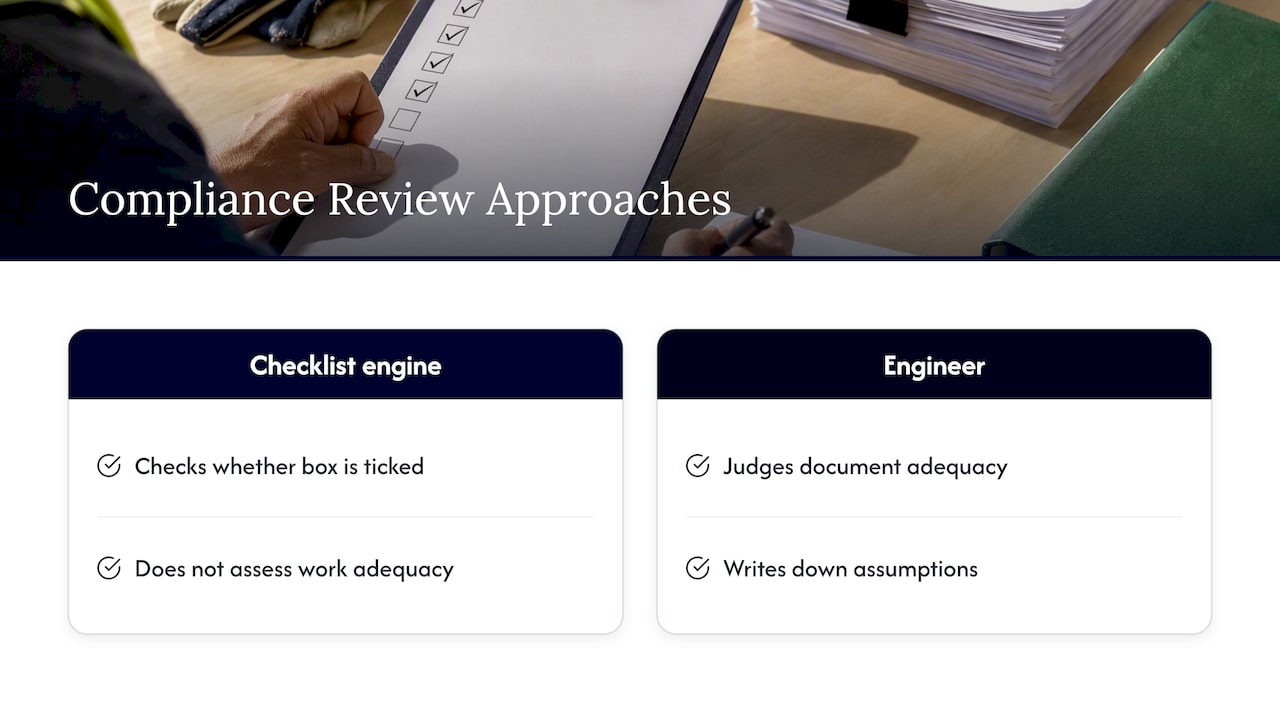
We build Yesper as an AI civil engineer, and that framing shapes how we think about safety compliance. A checklist engine asks whether a box is ticked. An engineer asks whether the document in front of them is adequate for the work, and writes down what they assumed in reaching that view. Compliance review needs the second behavior.

Our perspective — overview diagram

That is why we hold to three principles. First, every finding points to its source, so a reviewer can judge it in the time it takes to read the clause. Second, assumptions are written down and reviewed as one would review a colleague’s. Third, the system does the work end to end, producing the deliverable rather than merely answering questions about it, while the accountable professional keeps the signature.

We also see where general models fall down. As documents multiply and requirements interact, a general model’s output degrades quickly, while an engineering-specific system holds together. Customers tell us they save 50 to 95 percent of the time on projects, and that errors human reviewers missed get caught. Those are customer-reported results, and we treat them as a reason to keep the review gate strict rather than relax it.

Where Yesper fits

Yesper gives construction and infrastructure teams AI agents that search project documents, run regulatory compliance checks, detect errors, build workflows across multiple steps and produce finished deliverables such as reports, tenders, presentations and spreadsheets, all with source verification. Organizations such as AFRY, NRC Group and Netel use it across their teams. If you are weighing how safety compliance fits into a wider move to AI, start with our overview of what an AI civil engineer is and our assessment of AI for civil engineering in 2026. To see the platform itself, visit Yesper.

What is safety compliance automation?

It is the use of software to read project documents, check them against safety requirements, flag gaps and track corrective actions to closure. In construction it covers document reviews, inspection records and hazard registers. Decisions with safety consequences stay with qualified people.

Can AI check construction documents against OSHA rules?

Research shows AI can extract requirements from OSHA regulations, detect site conditions in images and draft documentation. The output is a screening result, not a certification. A competent person must verify the cited requirement, its current version and its application to the specific work.

Which safety tasks should not be automated?

Stop-work decisions, permit authorization and sign-off on life-safety matters belong to named professionals. Outcome-based duties, such as planning and coordinating work so that risks stay controlled, are also poorly suited to automated checking. Automation can prepare the evidence for them but cannot judge it.

How long does implementation take?

That depends on the document family, the number of systems involved and how stable the requirement set is. The sequence matters more than the duration: specialist input, a pilot, field testing, training and monitoring, with feedback used to adjust the system. Start with one document family and extend it only once it works.

This post was written with AI assistance and published by Yesper. General information, not professional advice: requirements vary by project and jurisdiction, and the professional responsible for the project decides what applies. Spotted an error? Write to benjamin@yesper.ai.

Benjamin Glaser Co-founder at Yesper. Writes about AI and the industry that builds the world. benjamin@yesper.ai

Yesper is the AI civil engineer for construction and infrastructure. AFRY, COWI, NRC Group and other Nordic firms use it to halve the time on a study, rerun calculations in minutes, and catch errors that would otherwise slip through. Get in touch if you'd like to see what it can do for you.

Book demo