Environmental reporting automation: What to automate and what to review

Environmental reporting automation means using software to pull data from source systems, validate it, calculate the figures and draft the report, so that people spend their time on judgment instead of copy-paste. In construction and infrastructure the data is scattered across meter readings, site logs, waste manifests, lab results and permits, and the realistic goal is not an unattended report but a traceable draft that an engineer can check the way a colleague’s work is checked.

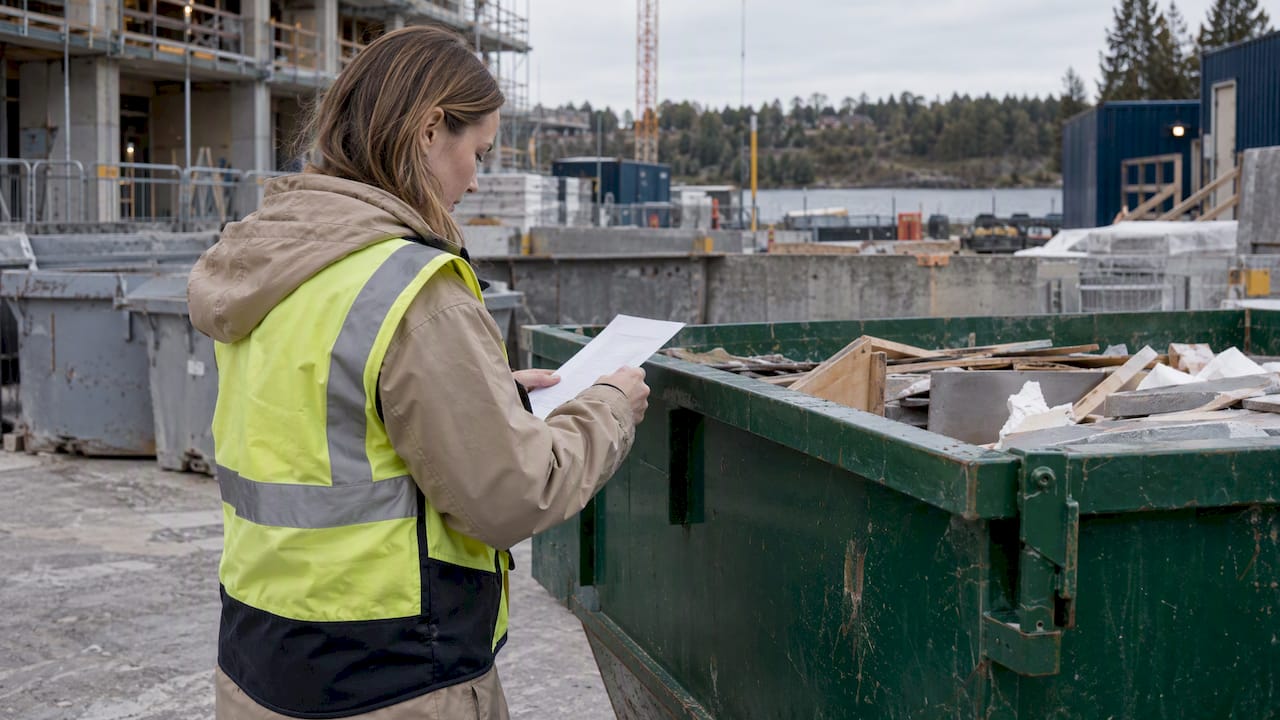
Coordinator checking a waste ticket beside a site skip

TL;DR

  • Automate the repeatable layers: data capture, validation, emission-factor mapping, consolidation and first-draft report generation.
  • Keep people responsible for materiality, technical judgment on incomplete data, the narrative and external assurance.
  • Every figure needs a logged source, version, user and date, otherwise speed only produces unauditable reports faster.
  • Start narrow, with energy and the largest emission sources, and name a human owner for every data flow.
  • Construction-specific research reports a 64.4% processing-time saving for large ESG documentation sets, which shows the size of the prize but not a promise for any single team.

What environmental reporting covers

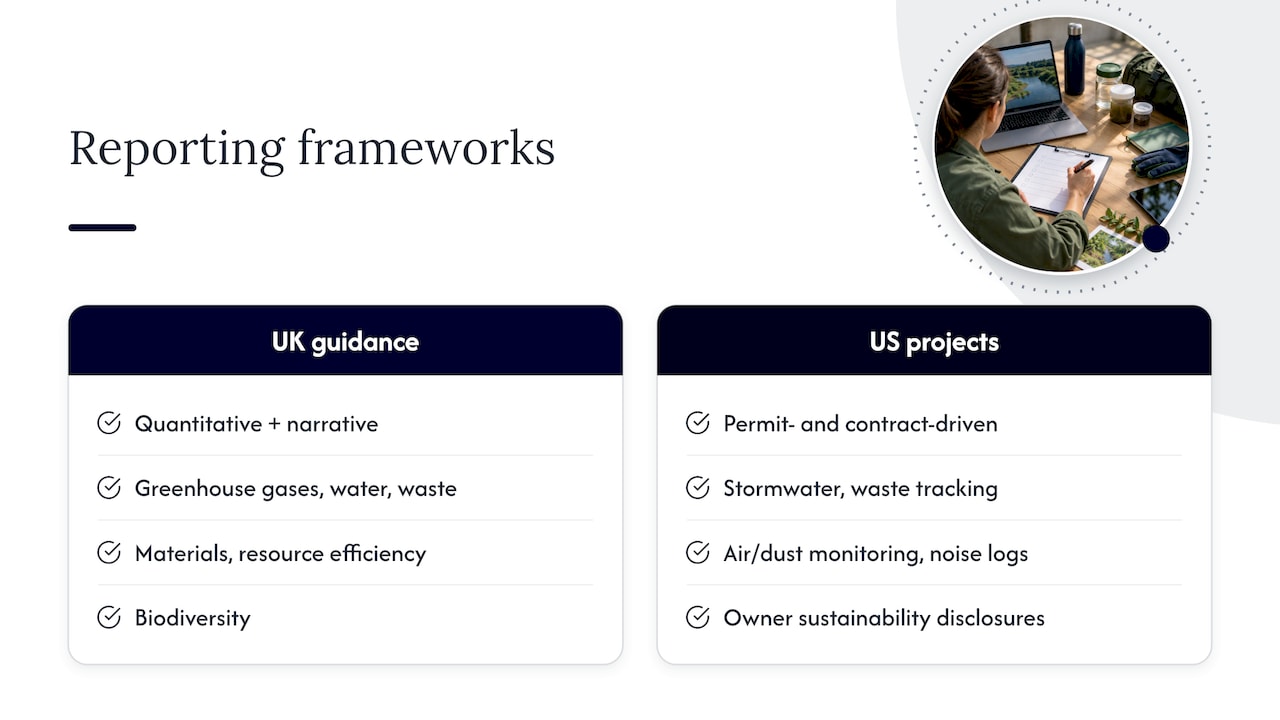
Environmental reporting is, in the formulation of Japan’s Ministry of the Environment, a communication tool through which an organization meets its accountability obligations and provides decision-useful information. The practical content is more specific. UK government guidance says a report should combine quantitative information with narrative explaining purpose, impacts and comparators, and lists greenhouse gases, water, waste, materials and resource efficiency, biodiversity, and emissions to air, land and water among the categories that commonly matter.

That guidance is British, and it is one framework among many. In the United States the content of an environmental report on a construction project depends on what the permits and contracts demand: stormwater inspection records, waste tracking, air and dust monitoring, noise logs, and increasingly corporate sustainability disclosures from owners who push requirements down to contractors. Scope varies by project, by state and by client, so the first act of any automation effort is to write down which reports are actually owed, to whom, and how often.

What environmental reporting covers

Reports teams actually produce

A contractor or consultancy typically handles several distinct report families:

  • Permit and monitoring reports: water, air, groundwater, dust and noise data compared against permit limits.
  • Project environmental documentation: environmental management plans, inspection records and corrective action logs.
  • Corporate sustainability reporting: energy, fuel and Scope 1, 2 and 3 emissions rolled up across sites.
  • Client-specific submissions: owner or tender questionnaires asking for environmental data in their own format.

Each has a different data source and a different reader, which is why a single generic tool rarely fits all of them.

Why manual reporting breaks down

The failure pattern is consistent. Data sits in spreadsheets, inboxes and PDFs. Someone re-keys it into a template at the deadline. Nobody can later say which version of which meter reading produced which number. The report is late, inconsistent between projects, and hard to defend when a client or regulator asks where a figure came from.

The cost is not only hours. When the same quantity is reported differently on two projects, the organization cannot compare them, and when an assumption lives in one person’s head, it leaves with that person. Automation earns its place by fixing those structural weaknesses: one intake route, one calculation method, one trail.

What can be automated, layer by layer

One practitioner breakdown describes ESG reporting automation as the industrialization of five data layers: capture and normalization, mapping to emission factors and data points, multi-site consolidation, auditable traceability, and report generation. The same source recommends building in sequence, starting with collection, then calculation, then report generation. The order matters because a polished report layer on top of unvalidated inputs only hides the problem.

Layer What the software does What a person still does
Capture Reads bills, meter exports, logs, manifests and lab files; normalizes units and formats Decides which sources are authoritative
Validation Flags gaps, duplicates and outliers Resolves each flag and documents the decision
Calculation Applies emission factors and conversion rules consistently Approves the factors and methods
Consolidation Rolls up sites, projects and periods Confirms boundaries and scope
Drafting Assembles tables, charts and standard text from approved data Writes and edits the narrative, signs off

Data capture

Environmental consultancy ERM describes AI that can populate data entries from electricity and water bills and meters, fuel usage, incident logs and hazardous-waste manifests, with teams then running quality assurance and quality control on the generated numbers. Another vendor guide describes automated pipelines that replace spreadsheets by pulling energy, fuel, purchasing, logistics and HR data from source systems to calculate emissions.

For a construction team the equivalent sources are fuel deliveries to site, generator hours, utility bills for site offices, waste carrier tickets, concrete and steel delivery notes, and the quantity schedules that sit in BIM models and drawings. Much of this arrives as PDFs and scans, which is exactly where document-reading AI changes the economics: it turns unstructured paper into structured rows.

Calculation and emission factors

The same ERM material notes that algorithms can calculate greenhouse gas emissions from activity data, such as travel logs, for reporting under the Greenhouse Gas Protocol. The arithmetic is trivial for a machine. The decisions around it are not: which factor set, which year, which boundary, and how to classify borderline items. Leased and hired equipment is a common trap, and this guide on classifying leased asset emissions first shows the kind of boundary question to settle before any calculation is automated. For a contractor with hired plant on every project, the answer determines whether a figure lands in Scope 1, Scope 2 or Scope 3.

Consolidation across projects

Multi-site consolidation is where automation pays most visibly. A group-level report built from forty project spreadsheets takes weeks and invites errors. A pipeline that already holds normalized project data produces the roll-up as a by-product. The prerequisite is a common data model, which means agreeing on units, categories and reporting periods across projects before any tool is switched on.

Report generation

Researchers at HKUST argue that large language models suit construction-sector environmental reporting because the material is a mix of quantitative metrics and qualitative narrative, which rigid rule-based extraction handles poorly. Their retrieval-augmented framework for construction ESG documentation saved 64.4% of processing time on large-scale documentation. That is one study of one framework, and the figure describes document processing, not the end-to-end reporting cycle of an arbitrary firm. It is nonetheless a useful order of magnitude for what structured automation can remove.

What should stay with people

The limits are as well documented as the gains. The five-layer analysis cited above lists what cannot be automated: materiality assessments, technical judgment on incomplete data, writing the narrative, and external assurance. In an engineering context that translates directly:

  1. Judgment on thin data. A missing month of groundwater readings is an engineering question, not a formatting one. Software can flag it and propose options; an engineer decides.
  2. Materiality. Which impacts matter for this project, this client and this jurisdiction is a decision with consequences, and it should be documented as one.
  3. Narrative. The explanation of why a figure moved is where a report earns trust. Drafts can be assembled; ownership of the explanation stays human.
  4. Assurance. An external reviewer needs to test the evidence, not trust the tool.

The workable model is review, not replacement: the system drafts, lists its assumptions in plain language, and a qualified person approves or corrects, exactly as with a junior colleague’s work. Teams that skip that step tend to discover the problem when a client asks a question the report cannot answer.

How to build an auditable pipeline

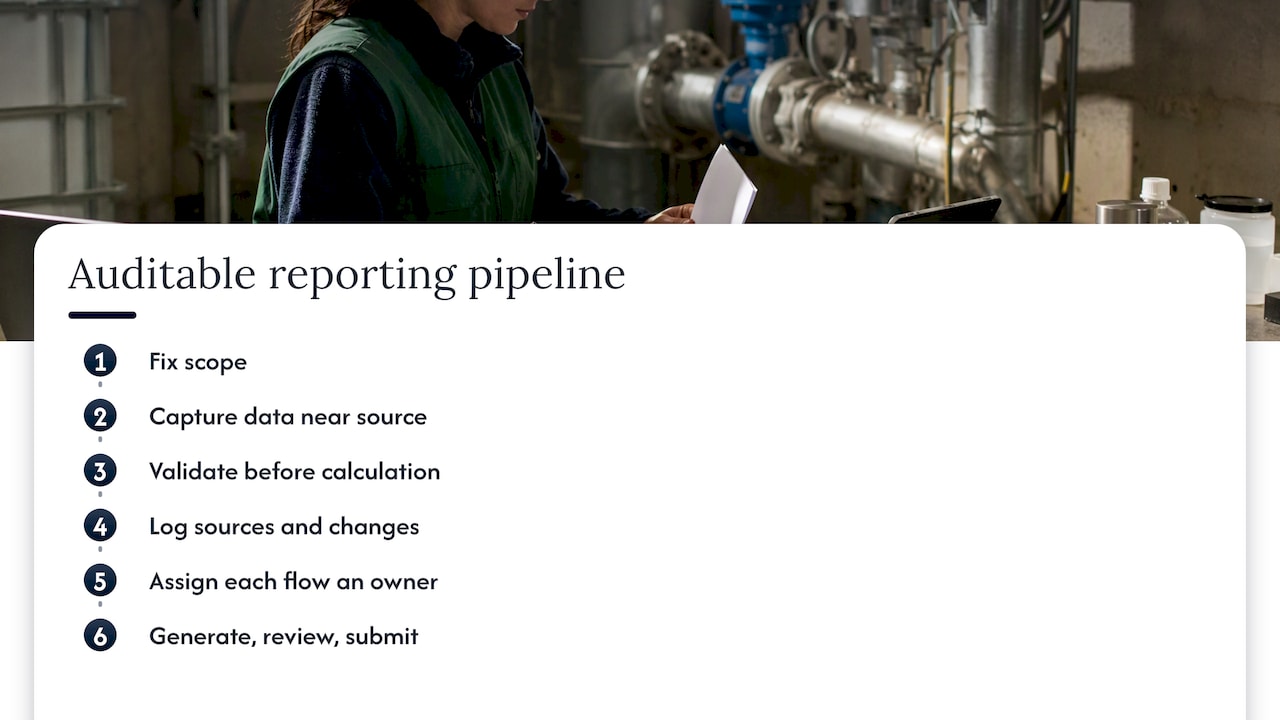
Six steps in an auditable reporting pipeline

Step 1: Fix the scope

List every report owed, its recipient, frequency and format. One vendor guide suggests a typical initial scope of energy plus Scope 1 and 2 emissions for all sites and the largest Scope 3 categories. For a project-based business, a narrower first step is often wiser: one report family, on projects that already have clean data.

Step 2: Go as close to the source as possible

Trade media on ESG data preparation calls getting as close to the original source as possible, such as direct utility meter data, the gold standard for accuracy. Invoices summarize; meters and delivery tickets record. Where the source is a scan, keep the original attached to the extracted value.

Step 3: Validate before calculating

Automated checks should catch the obvious: missing periods, unit mismatches, duplicates and outliers. ERM gives a concrete example of an anomaly rule, flagging a facility whose monthly hazardous-waste generation is three times the annual average for review. Such a rule does not decide whether the number is wrong; it makes sure someone looks.

Step 4: Log everything

For auditable traceability, the five-layer analysis says the system must record the source, version, user and date for each value, together with evidence attachments and change history. The UK guidance makes the same point from the regulatory side: transparency is essential to credible reporting, which requires a record of the assumptions, calculations and methodologies behind the figures. SAP’s implementation guide applies the principle to double materiality, requiring a clear, logical and defensible trail from sustainability topics down to reported figures.

Step 5: Name an owner for every flow

The same vendor guide that describes automated pipelines warns that each step needs a named human owner, because without ownership of inputs such as supplier data the whole process can stall. Automation removes keystrokes, not accountability. A simple ownership table, one row per data source, prevents most stalls.

Step 6: Generate, review, submit

Only now does the draft report come out. Reviewers should be able to click from any figure back to its source document. Where submission is electronic, use the official route: for stormwater permits under the federal Construction General Permit, EPA states that operators must use its NPDES eReporting Tool to prepare and submit notices of intent unless a waiver applies. Permit conditions differ by state and permit, so confirm the requirements of the specific permit.

Document management is the real foundation

Most failed reporting automation is a document control failure in disguise. If drawings, specifications, site records and approvals live in unmanaged folders, no tool can tell which version is current. Research on construction environmental management systems points the same way: a system built on ISO 14001:2015 for a construction company in the Philippines was designed first to store, retrieve and update environmental documents. The reporting came after the records were in order.

For the same reason, workflow comes before tooling. Teams that automate a broken process get the broken process faster, a point developed in these automation lessons on fixing workflows first. A disciplined six-stage document control approach gives a reporting pipeline something reliable to read.

Where this meets daily project work

Environmental figures rarely originate in the environmental department. They begin in daily logs, delivery notes, inspection forms and QA records filled in by site staff. Protecting that daily record is therefore protecting the report. Guidance on reporting automation for construction project managers covers the daily-log side of the problem, and audit-ready QA/QC automation covers the checking discipline that environmental data needs just as much as concrete test results.

Two adjacent concerns deserve attention. Regulatory obligations change, and a pipeline needs a way to check outputs against current requirements, as discussed in this piece on regulatory compliance automation. And because environmental data often sits alongside commercial and personal information, the questions in AI data security in construction belong in any procurement conversation.

Our perspective

Most discussion of environmental reporting automation treats it as a data problem. In construction and infrastructure it is a document problem first. The numbers are buried in tender packages, geotechnical protocols, BIM models, permits and site records, and the people who understand them are engineers who would rather be engineering.

We built Yesper as an AI civil engineer for exactly that setting. It works inside your projects, produces deliverables from scratch, and writes down its assumptions so you can review them the way you would review a colleague’s work. That review habit is the core of our view: automation is only worth trusting when its reasoning is visible, its sources are traceable and a qualified person can overrule it in seconds.

The general-purpose models people try first tend to cope with a clean paragraph and fail as the material gets messier. Real project work, such as quantities from a BIM model or comparable figures from a dozen documents in different formats and currencies, is where specialization shows. Customers report saving 50 to 95 percent of the time on projects, and also catching errors that human reviewers missed.

Our advice to teams is simple. Automate the capture, the checking and the first draft. Keep judgment, materiality and sign-off with your engineers. Demand traceability to the source for every figure. Done that way, reporting stops being the thing everyone dreads at quarter end and becomes a by-product of work already done properly.

Benjamin

How Yesper fits

Yesper is an AI platform for construction and infrastructure teams that searches project documents, checks regulatory compliance, automates multi-step workflows and produces reports, spreadsheets and presentations, with agents configurable for different project roles and full source traceability. Teams that want to see it in action can book a demo or read how the architecture handles sources and review.

What does environmental reporting mean?

It is the structured communication of an organization’s or project’s environmental performance, combining measured data with explanation. Official guidance describes it as a tool for accountability and decision-useful information. The exact contents depend on the permit, contract or framework that requires it.

What is included in an environmental report?

Typically quantitative data on categories such as emissions, water, waste and materials, plus narrative on purpose, impacts and comparison points, as the UK reporting guidance sets out. Construction reports often add monitoring results, inspection records and corrective actions.

Can environmental reports be fully automated?

Not responsibly. Data capture, validation, calculation and drafting can be automated, but materiality, judgment on incomplete data, narrative and external assurance remain human tasks. The right target is a traceable draft that a qualified person reviews.

How do you keep automated reports auditable?

Log the source, version, user and date of every value, attach the evidence, keep the change history and record assumptions. Add anomaly flags and a named human owner for each data flow so every exception has someone responsible for resolving it.

This post was written with AI assistance and published by Yesper. General information, not professional advice: requirements vary by project and jurisdiction, and the professional responsible for the project decides what applies. Spotted an error? Write to benjamin@yesper.ai.

Benjamin Glaser Co-founder at Yesper. Writes about AI and the industry that builds the world. benjamin@yesper.ai

Yesper is the AI civil engineer for construction and infrastructure. AFRY, COWI, NRC Group and other Nordic firms use it to halve the time on a study, rerun calculations in minutes, and catch errors that would otherwise slip through. Get in touch if you'd like to see what it can do for you.

Book demo