6 steps to PLM ready PDF extraction for engineering
The most reliable production approach to PDF extraction for engineering combines layout segmentation, orientation-aware detection, and specialized parsing into a single hybrid pipeline that outputs schemaed JSON with full provenance. Generic OCR alone cannot resolve rotated dimensions, GD&T frames, or dense multi-view layouts, which is why preprocessing and human-in-the-loop verification remain non-negotiable, not optional extras bolted on afterward.
Benjamin Glaser
4 October 2026 · 15 min read
In short
Hybrid extraction pipelines combining layout segmentation, orientation correction, and specialized parsing outperform generic OCR in engineering PDFs.
OCR-free vision-language models excel at interpreting numeric and symbolic fields but require domain-specific fine-tuning to reduce hallucinations on text-heavy areas.
Vector extraction from digitally exported PDFs is faster and more accurate but only applicable to truly vector-preserving files, not rasterized images.
Stage-by-stage validation, confidence scoring, and provenance logging are essential for accurate, auditable results suitable for downstream engineering workflows.
Building a domain-specific dataset focused on key fields and implementing human-in-the-loop checks significantly improves field-level accuracy and reliability.
01
Why engineering PDFs and drawings break generic extraction tools
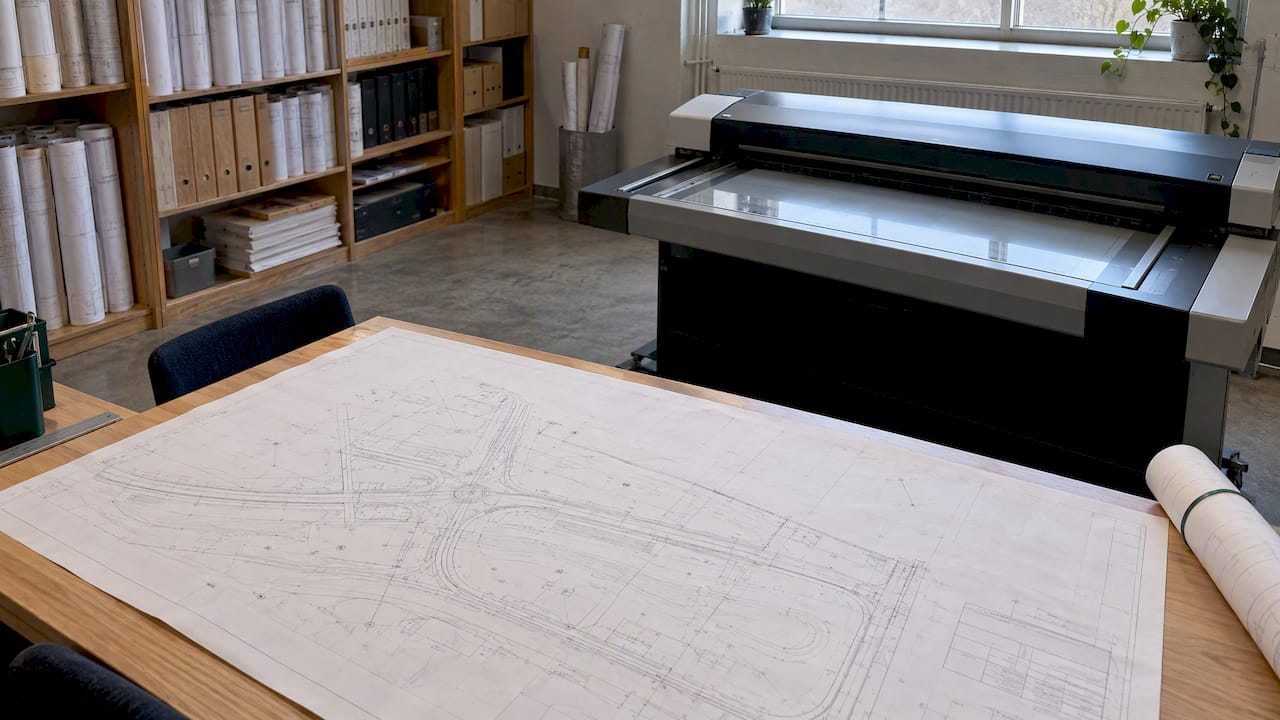
A standard OCR engine was built to read paragraphs of upright, left-to-right text. An engineering drawing is almost the opposite of that assumption, and the mismatch explains most of the failures teams encounter when they first try to automate extraction.
Rotated dimension strings, often at 45 or 90 degrees, confuse character recognizers trained on horizontal text. Overlapping views, where a plan, section, and detail share the same sheet, create ambiguity about which annotation belongs to which geometry. Geometric dimensioning and tolerancing (GD&T) frames pack multiple symbols, datums, and tolerance values into a single compact box that generic OCR tends to read as garbled characters rather than structured data. Title blocks vary by company, discipline, and country, so a model trained on one template often fails silently on another.
A less obvious problem is that born-digital PDFs, the ones exported directly from CAD software, are frequently assumed to be “structured” when they are not. The text layer might exist, but critical fields such as dimension values or revision tags are often converted to curves or outlines during export, stripping out any machine-readable encoding. Treating that text layer as authoritative, rather than verifying it against a rasterized fallback, is a common and costly mistake.
Ambiguous legends compound the problem. A symbol that means one thing on a mechanical drawing can mean something else on a structural or electrical sheet, and a language model without project-specific grounding will often guess wrong with confidence rather than flag uncertainty.
Common failure points include:
Rotated or vertically stacked dimension text misread as nonsense characters.
GD&T feature control frames parsed as plain text instead of structured tolerance data.
Overlapping or nested views causing annotations to be assigned to the wrong geometry.
Inconsistent title block layouts breaking field-position assumptions across projects.
Legend symbols interpreted inconsistently without project-specific context.
One domain study reportednumerical VLM F1 scores up to 0.963, with some annotation types reaching perfect scores, while alphabetical (text-heavy) fields scored lower, confirming that numeric and symbolic data behave very differently from free text in engineering drawings.
02
Architectures that work: Hybrid pipelines, OCR-free VLMs, and vector parsing
Three broad architectural patterns dominate production engineering extraction, and the right choice depends on input format, field type, and how much error tolerance a given use case allows.
The three-stage hybrid architecture is the most battle-tested pattern: layout detection identifies views, title blocks, and notes; orientation-aware annotation localization finds and corrects rotated dimension strings and GD&T frames; and a specialized parser, whether OCR or a vision-language model (VLM), extracts the actual values. A multi-stage hybrid framework applied this exact sequence to 2D multi-view engineering drawings and reported strong performance on numerical and symbolic fields, while flagging that free-form alphabetical text remained harder to parse reliably.
OCR-free VLMs change the calculus for numeric and symbolic fields specifically. Instead of detecting characters and reconstructing words, these models reason directly over image patches and can interpret a GD&T frame or a dimension callout as a semantic unit rather than a string of glyphs. Research on automated parsing of engineering drawings found that Donut-style, fine-tuned VLMs performed very strongly on numeric and symbolic fields, but noted that these same models showed higher hallucination rates on text-heavy title blocks, particularly in zero-shot settings without fine-tuning. The practical implication: use OCR-free VLMs where fields are numeric or symbolic, and fall back to OCR or rule-based parsing where fields are long-form text.
Vector-format extraction applies only to a narrower case: born-digital PDFs that retain their original vector paths rather than converting everything to outlines or raster images. When this is true, dimension lines, text runs, and layer metadata can sometimes be pulled directly from the PDF’s internal structure without running any visual model at all, which is both faster and more accurate. The catch is that this path only works for genuinely vector-preserving exports, and any rasterized or scanned sheet defaults back to the visual pipeline.
Choosing among these architectures comes down to a few practical trade-offs:
Hybrid pipelines require more engineering effort upfront but generalize across drawing types and sources.
OCR-free VLMs reduce preprocessing needs for numeric fields but require fine-tuning data to control hallucination on text.
Vector parsing is nearly free computationally but only applies to a subset of born-digital files.
Annotation and maintenance cost scales with how many drawing templates and disciplines a pipeline must support.
Most production systems end up as a blend: vector parsing where possible, OCR-free VLMs for numeric and symbolic fields, and traditional OCR or rule-based parsers as a fallback for long-form notes and specifications.
03
A production-ready step-by-step pipeline
Building a pipeline that holds up under real project volume means treating extraction as a sequence of discrete, auditable stages rather than a single model call. Each stage has its own failure modes, and isolating them makes debugging and accuracy improvement tractable.
Input handling. Detect whether the PDF carries a genuine text layer or is effectively a raster image, check DPI (300 or higher is generally needed for legible small text), deskew pages that were scanned at an angle, and split multi-sheet PDFs into individual pages for parallel processing.
Segmentation. Run a layout model to separate the sheet into regions: title block, main view or views, notes and specifications, and legend. A study on OCR for production quality control structured its pipeline around exactly this kind of segmentation before any recognition step, dividing the problem into information blocks, feature control frames, and dimension pipelines. Tile large or high-resolution sheets into overlapping patches so that detectors do not miss annotations at patch boundaries.
Detection. Apply oriented bounding box detectors to locate rotated dimension strings and preserve their angle, rather than cropping them into an upright box that distorts the text. Use dedicated symbol detectors, often trained on synthetic augmentations, to localize GD&T feature control frames separately from plain text.
Parsing. Route free-form text (notes, specifications, revision history) to an OCR engine or a general-purpose VLM. Route numeric and symbolic fields (dimensions, tolerances, GD&T values) to a fine-tuned Donut-style VLM or a numeric-specialist parser paired with regex-based rule checks for known formats like diameter symbols or thread callouts.
Postprocessing. Normalize units (millimeters versus inches), unify coordinate systems across pages and sheets, and attach a confidence score to every extracted field based on model output probabilities and rule-check agreement.
Verification. Apply deterministic sanity rules (a hole diameter should never be negative, a tolerance should never exceed the nominal dimension by an order of magnitude), run a parallel model check on low-confidence fields, and route anything below a set threshold to a human reviewer with the original image patch attached for fast adjudication.
An open-source project demonstrating this exact structure is gost-ocr, which implements a three-stage preprocess-localize-extract pipeline for title-block metadata, outputting structured JSON with per-field bounding boxes and confidence scores for each extracted value.
Pro Tip:Log the original image patch alongside every extracted field, not just the text value, so a human reviewer can verify a low-confidence result in seconds rather than reopening the full drawing.
The stakes of getting this wrong are not abstract. A misread tolerance or an undetected rotated dimension can propagate into a bill of quantities, a fabrication order, or a compliance check, and the cost of catching that error after fabrication dwarfs the cost of a careful verification step during extraction.
04
Tool classes and concrete components to try when prototyping or building
No single library covers every stage of an engineering extraction pipeline, so most teams assemble a stack from several tool categories rather than adopting one end-to-end product.
OCR engines such as Tesseract and EasyOCR handle general text recognition well but struggle badly with GD&T symbols and rotated dimension strings without substantial preprocessing and custom training.
Object detectors from the YOLO family, particularly variants that support oriented bounding boxes, are well suited to locating rotated text and symbol frames before any recognition step runs.
Segmentation models for layout detection separate title blocks, views, and notes, which is the prerequisite step that a hybrid framework for 2D engineering drawings relies on before any parsing begins.
VLM and Donut-style models support OCR-free parsing of numeric and symbolic fields and benefit substantially from fine-tuning on domain-specific drawing samples rather than being used zero-shot.
Vector extraction utilities and PDF-to-text converters pull structured content directly from born-digital files that retain vector paths, bypassing visual parsing entirely when applicable.
Utility libraries, including OpenCV for deskewing and connected-component analysis, support the preprocessing stage that downstream detectors and recognizers depend on for accuracy.
For legend sheets specifically, where symbol meaning is ambiguous without project context, an interactive approach called In-Context Multimodal Annotation Prompting proved effective. The ICICLE system grounded a general-purpose VLM with a single annotated example and a referential text prompt, reporting extraction accuracy between 96 and 100 percent on tested legend sheets, without requiring full model retraining for each new project’s symbol conventions.
Preprocessing work of this kind is not a cosmetic step. Pipelines modeled on domain-specific reconstruction work, such as the chemoCR approach to chemical structure diagrams, organize processing into preprocessing, reconstruction, postprocessing, and validation stages, with vectorization and connected-component analysis materially improving what the recognition stage can achieve. The same principle holds for engineering drawings: a detector fed a deskewed, properly scaled page performs measurably better than one fed a raw scan.
05
How to measure accuracy, curate datasets, and design human-in-the-loop checks
Accuracy in engineering extraction has to be measured per field type, not as a single aggregate number, because numeric fields, symbolic fields, and free text behave very differently under the same model.
Field-level precision, recall, and F1 scores tell you where a pipeline is strong and where it needs a fallback. A hallucination rate, the proportion of extracted values that are confidently wrong rather than simply missing, matters just as much as recall for engineering data, since a wrong dimension is often more dangerous than a flagged gap. Research on automated drawing parsing found that OCR-free VLMs can show elevated hallucination on text-heavy fields in zero-shot settings, which is a direct argument for fine-tuning on labeled, domain-specific samples before trusting a model’s output.
Building a labeled dataset should prioritize the fields that drive downstream decisions: title blocks (project number, revision, scale), GD&T frames, numeric dimensions and tolerances, and legend or symbol sheets. A few hundred well-annotated sheets covering a company’s actual template variety typically outperform a much larger generic dataset.
A domain-specific framework reported numerical field F1 scores as high as 0.963 using exactly this kind of staged validation, underscoring that strong numeric accuracy is achievable when detection, parsing, and verification are treated as separate, auditable steps rather than a single opaque model call.
Logging provenance, meaning the source page, bounding box coordinates, and confidence score for every field, turns an extraction pipeline from a black box into something a compliance team can actually audit after the fact.
06
Turning extracted fields into usable engineering data
Extraction only has value once the output can be consumed by the systems engineers already use, which means the schema design matters as much as the extraction accuracy itself.
A unified JSON schema, with each field carrying its page number, bounding box, extracted value, and confidence score, gives downstream systems both the data and the means to verify it. For teams working in spreadsheet-driven workflows, exporting the same data to Excel or CSV keeps it accessible without requiring a new tool. For BIM-centric workflows, mapping fields into an IFC-lite structure allows extracted quantities and attributes to align with existing model data rather than living in a separate silo, a pattern directly relevant to how quantities get derived from an IFC model.
Integration generally follows one of two patterns: direct API write-back into a PLM, CAD, or ERP system, or a staging export that a human reviews before it touches production data. The staging pattern is safer for early rollouts, since it adds a checkpoint before extracted data can corrupt a live system of record.
A few pitfalls recur across integration projects:
Schema mismatch between the extraction pipeline’s output and the receiving system’s expected fields, which silently drops or misroutes data.
Duplicate bill-of-materials entries when the same component appears across multiple sheets without deduplication logic.
Unit normalization failures when millimeter and inch values are mixed without consistent conversion before write-back.
Missing change detection, so re-running extraction on a revised drawing creates duplicate records instead of updating existing ones.
Structural estimating and bidding workflows illustrate the stakes well: steel estimating platforms depend on clean, deduplicated quantity data flowing in from drawings, and a schema mismatch upstream turns into a bidding error downstream.
07
Why a domain-focused engineering AI wins
General-purpose extraction models tend to degrade sharply as drawing complexity increases, because they lack the domain priors that let a specialized system distinguish a GD&T frame from a stray annotation or recognize a title block layout it has never seen before. Domain-tuned pipelines, built around the architecture described above, reduce hallucination specifically because they are validated against engineering-specific rules rather than generic language patterns, and they preserve traceability by design rather than as an afterthought.
Procurement teams evaluating a vendor or an internal build should request concrete evidence before committing:
A sample-run accuracy report broken down by field type (numeric, symbolic, free text), not a single blended score.
Integration references showing the pipeline working inside an existing PLM, CAD, or ERP environment.
Full audit logs demonstrating provenance for every extracted field, including confidence scores.
Governance documentation covering how low-confidence fields are routed and reviewed.
During a demo, ask for an end-to-end sample export on a representative drawing set, with bounding boxes and confidence scores visible, so the traceability claims can be checked directly rather than taken on faith. Our own approach to domain-specific AI for civil engineering follows these same principles: specialization narrows the problem enough that accuracy and auditability both improve together.
08
Realistic rollout expectations and staging automation
High accuracy on engineering PDF extraction is achievable, but it rarely arrives as a single deployment event. Teams that succeed tend to stage the rollout: automate title block extraction first, since it is the most standardized field type, then move to numeric dimensions, and only later tackle GD&T and symbolic fields, which carry more error cost and need the most validation.
Expect to retrain or recalibrate detection and parsing models periodically as new drawing templates, disciplines, or standards enter the pipeline. Dataset drift, where a model’s accuracy quietly degrades as the input distribution shifts, is a maintenance cost that should be planned for from the outset, not discovered after accuracy complaints start arriving. Budgeting for ongoing labeling work, even a modest amount per quarter, tends to matter more for long-term reliability than any single architectural choice made at the start.
09
How Yesper fits as an enterprise option for extraction and downstream automation
For construction and infrastructure teams that need this kind of pipeline running in production rather than prototyped in a notebook, we built Yesper as an AI civil engineer that works inside your actual projects. Rather than handing back raw extracted fields, our platform searches project documents, checks regulatory compliance, and automates multi-step workflows that turn extracted data into finished deliverables, reports, tenders, spreadsheets, and quantity takeoffs from BIM models and drawings.
Our customers report significant time savings on projects, and errors caught that manual review missed, because our platform flags inconsistencies a human pass might miss. Because we are built for construction workflows, our agents understand domain-specific regulations and can integrate with project management systems, performing work end-to-end rather than just answering questions about a drawing.
What this looks like in practice:
Document search across project files that surfaces the exact sheet or clause a team needs.
What is the best PDF extraction tool for engineering drawings?
No single tool handles every field type well, which is why production systems combine a layout segmentation model, an orientation-aware detector, and a specialized parser rather than relying on one general tool. The strongest results come from matching the parser to the field type: OCR-free VLMs for numeric and symbolic data, OCR or rule-based parsing for free text, as shown in hybrid framework research.
Are PDFs being phased out in engineering workflows?
PDFs remain the dominant exchange format for engineering drawings because they preserve layout fidelity across software and organizations, and there is no sign of that changing industry-wide. The more relevant shift is toward structured data layers and IFC-based model exchange running alongside PDFs, not replacing them outright.
Can ChatGPT extract data from a PDF of an engineering drawing?
A general-purpose model like ChatGPT can read simple, well-structured PDFs but tends to struggle with rotated dimensions, GD&T frames, and dense multi-view layouts without the orientation-aware detection and domain fine-tuning that specialized pipelines use. For reliable field-level accuracy on technical drawings, a hybrid pipeline with verification steps outperforms a general chatbot interface, as explored in our breakdown of engineers’ questions about AI.
Which type of model works best for engineering PDF extraction?
Fine-tuned Donut-style vision-language models perform strongly on numeric and symbolic fields, while free-form text like specifications and notes is often handled more reliably by OCR or a general VLM paired with rule-based checks. Research comparing these approaches found that OCR-free VLMs can hallucinate more on text-heavy fields in zero-shot use, which supports pairing specialized models by field type rather than picking one model for an entire drawing.
How accurate can automated extraction get on engineering drawings?
Field-level accuracy depends heavily on field type, with numeric and symbolic fields reaching very high F1 scores in staged, validated pipelines, as reported in hybrid framework benchmarks. Free-form text fields remain harder, which is why human-in-the-loop review for low-confidence outputs stays part of any production deployment.
This post was written with AI assistance and published by Yesper. General information, not professional advice: requirements vary by project and jurisdiction, and the professional responsible for the project decides what applies. Spotted an error? Write to benjamin@yesper.ai.
Benjamin GlaserCo-founder at Yesper. Writes about AI and the industry that builds the world.benjamin@yesper.ai
Get news and articles in your inbox.
Unsubscribe anytime.
Yesper is the AI civil engineer for construction and infrastructure. AFRY, COWI, NRC Group and other Nordic firms use it to halve the time on a study, rerun calculations in minutes, and catch errors that would otherwise slip through. Get in touch if you'd like to see what it can do for you.