Cut rework: A coordinator's six step BIM clash detection workflow

BIM clash detection is the systematic process of testing a federated model for spatial and sequencing conflicts before construction starts. Its value is not the report itself but what happens after: a conflict caught in the model is a model edit; the same conflict caught on-site costs trade time, an RFI and often a change order. Start coordinated checks in the design phase, set tolerances deliberately, and treat every clash as an assigned task, not a line item.

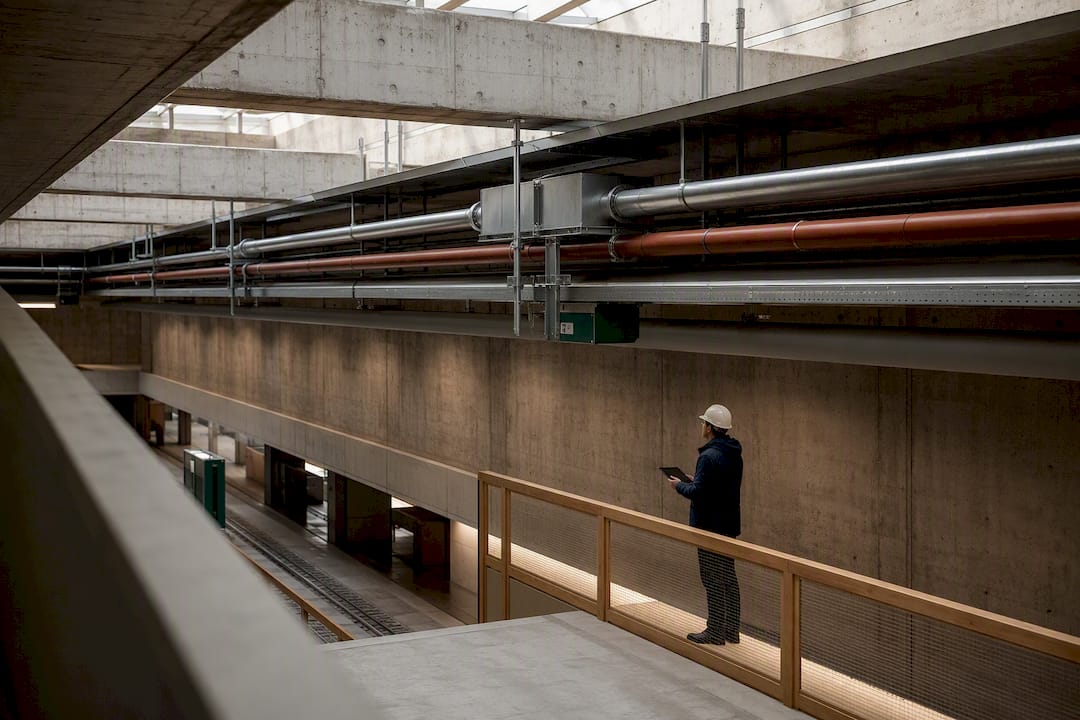
Coordinator reviewing exposed construction service clashes
  • Hard clashes, such as two conduit runs overlapping or a duct punching through a structural beam, must be fixed before construction to prevent delays and extra costs.
  • Tolerances are the biggest lever on noise: a hard-overlap tolerance loose enough to ignore modeling imprecision, plus a separate and larger clearance tolerance for access space, cuts false positives in large models.
  • Running automated, rule-based clash checks immediately on new model versions minimizes last-minute surprises and improves workflow efficiency.
  • Tracking clash resolution with assigned owners and deadlines ensures conflicts are genuinely fixed and verified before moving to construction.
  • Using tools that combine model federation, rule enforcement, sequencing, and automated reruns enhances coordination speed and reduces rework in BIM workflows.

What is BIM clash detection?

BIM clash detection tests a combined, or federated, model to find where building elements physically overlap or violate required clearances. It belongs at every stage from schematic design through construction documentation, not as a one-time pre-construction gate. Discipline models are typically exported to a neutral format like IFC or kept native (Revit’s RVT), then merged into a coordination tool for cross-checking.

The process splits into two distinct checks that coordinators often conflate:

  • Geometric (hard) checks: two solid objects occupying the same physical space, like a duct punching through a structural beam.
  • Clearance and workflow checks: elements that technically don’t touch but violate access, maintenance, or sequencing rules, such as a valve installed without room to service it.

Both matter, but they require different tolerance settings and different reviewers, which is where most coordination programs start to break down.

What types of clashes should you prioritize first?

Not every flagged conflict deserves the same urgency. Triage separates a genuine constructability problem from model noise, and getting this ranking wrong is the fastest way to burn a coordination team’s patience.

  1. Hard clashes come first. A sprinkler main running through a concrete column, or two conduit runs occupying identical coordinates, will stop installation cold if it reaches the field. These get fixed before anything else.
  2. Soft or clearance clashes rank second. A cable tray hung with less room than an electrician needs to pull cable won’t collapse a schedule, but it will slow the crew and generate an RFI later.
  3. Workflow, or 4D, clashes come third, and only once the model is mature enough to support sequencing logic. These catch problems like a crane path crossing a structural erection zone at the wrong week, tying clash results to the construction schedule rather than pure geometry.

Rank by system criticality first (structure and life safety before finishes), then by clash volume per floor, so a review meeting isn’t derailed by 400 near-duplicate flags in one mechanical shaft.

How do you run a clash-detection workflow step by step?

A repeatable cadence is what separates coordination that actually prevents rework from coordination that just generates PDFs nobody reads. A weekly rhythm built around six steps is enough to hold that cadence.

  • Set a submission and federation schedule. Discipline models get uploaded on a fixed day, typically weekly, and combined into one coordinated model before any test runs.
  • Define test rules and discipline pairings. Decide which disciplines check against which (mechanical against structural, electrical against mechanical) and automate the routine ones so the same rule set runs on every new version.
  • Run the tests and export reports. Group related clashes by location or system rather than reviewing them as one flat list.
  • Triage in a coordination meeting. Separate hard clashes needing immediate fixes from soft clashes that can be scheduled.
  • Assign owners and target dates. Every clash gets a name and a deadline, not a shared “pending” status.
  • Revise, re-run, and verify closure. The model changes, the test reruns against the same rule set, and the clash is marked closed only after that rerun confirms it.

This sequence, sometimes called federate, test, triage, assign, resolve, verify, follows the same cadence as published clash detection process guides, which run from model integration and rule definition through clash tests, review and categorization, coordination meetings, resolution with a retest, and documentation.

Pro Tip: Run automated checks the moment a new model version lands, not the night before a coordination meeting. A team that discovers 300 new clashes ten minutes before the call has already lost the meeting.

Which tools fit which step in the workflow?

Choosing BIM clash detection software works better when you map features to workflow steps instead of chasing brand reputation. A tool that federates models beautifully but lacks rule-based checking will leave you drowning in unsorted results by week three.

  • Federation and viewing: the tool needs to combine multiple discipline models regardless of native format, holding geometry and metadata intact.
  • Clash engine with rule sets: rule-based model checking lets you define what gets checked, which elements are included and how clashes are classified, and lets you set clearance zones and tolerance-based checks rather than relying on geometry intersection alone, which is what separates a mature program from a blunt overlap scan.
  • Sequencing links: Navisworks’ Clash Detective can tie clash tests to TimeLiner and Object Animation, catching conflicts that only occur when equipment or cranes are in motion.
  • Automated reruns and dashboards: the ability to trigger a test automatically on a new model upload, rather than waiting on someone to remember.
  • Exportable, trackable reports: results need to leave the tool and land in an issue tracker or shared register that survives past the coordination meeting.

Evaluate any candidate for BIM coordination tools against those five categories before you evaluate it against a sales deck.

How do you set tolerances to cut out noise?

An untuned clash test on a large mechanical model can return thousands of flags, most of them meaningless. Tolerance settings are the single biggest lever for turning that flood into a workable list.

Use two separate settings: a hard-overlap tolerance loose enough to absorb ordinary modeling imprecision, and a larger clearance tolerance that protects the access space maintenance crews actually need. Agree both values with the disciplines before the first run and write them into the coordination plan, because a tolerance changed mid-project makes every earlier report incomparable. A tolerance set too tight on a large federated model catches rounding and sloppy geometry rather than real conflicts.

  • Exclude intentional penetrations (sleeves, designed openings) from the test set rather than re-triaging them every cycle.
  • Watch for duplicate geometry, often left behind when a discipline re-links an old model version alongside the new one.
  • Filter for coordinate drift, where two models are technically clash-free but sit on slightly different project origins.
  • Batch results by storey and by overlap volume so reviewers see the largest, most consequential conflicts first.

How do you manage resolution and verify it actually happened?

A clash report that nobody owns is just documentation of a future problem. Structured resolution management is what converts detection into prevented rework, and it works in a fairly fixed sequence.

  1. Assign every open clash to a named owner with a target resolution date, not a discipline lead by default.
  2. Link the clash to any related RFI and to the specific model revision that’s supposed to fix it, so nothing gets resolved twice or missed entirely.
  3. Track status in a live dashboard or issue register rather than a static PDF that’s outdated the moment someone edits the model.
  4. Require a formal rerun of the same rule set before marking a clash closed, and bundle the final clean results into a sign-off package before construction starts.

Pro Tip: A “resolved” status without a rerun is a promise, not a fact. Make the rerun mandatory in your sign-off checklist so nobody skips it under deadline pressure.

Detection alone doesn’t stop site rework. Clash detection has to move beyond the report into tracked, verified action, or the same conflicts simply resurface in the field.

What ROI can you actually report from clash detection?

The measurable payoff shows up in fewer RFIs, lower rework costs, faster installation sequences, and fewer safety incidents from field improvisation. None of that shows up automatically. It depends on tracking the right numbers from the start.

  • Percentage of flagged clashes closed and verified before construction begins, not just identified.
  • Coordination hours saved per weekly cycle compared to manual cross-checking of 2D drawings.
  • Estimated rework cost avoided per resolved hard clash, based on trade mobilization and material waste.

The single-project ROI case study published by DBIA makes the point plainly: the return came from human factors and teamwork — agreements with the design consultants, pre-qualified subcontractors, structured coordination meetings, a high-performing coordination team — not from the software on its own. The tool just makes the checking faster.

What causes false positives and noisy clash reports?

Most “clash overload” complaints trace back to a handful of repeat offenders rather than a genuinely conflict-heavy design.

  • Coordinate system drift: models placed on different project origins will show phantom clashes or miss real ones entirely; check shared coordinates first when results look wrong.
  • Duplicate modeling: two disciplines modeling the same conduit run or the same equipment pad, usually from unclear scope boundaries.
  • Out-of-date models: a coordination run against last week’s structural model instead of the current one, wasting an entire triage meeting.
  • Acceptable clashes: some conflicts, like a temporary construction clearance, are fine as-is but need to be documented and excluded, not silently ignored.

Construction coordination is fragmented on purpose across dozens of subcontractors and disciplines, which is exactly why version control discipline matters more here than in almost any other part of a project.

Where does automation actually help in coordination?

AI built for construction is changing how fast quantities, properties, and model data can be pulled out of a federated model. Yesper is the AI civil engineer for construction and infrastructure: it produces a bill of quantities from an IFC model, reading the exported base quantities (Qto_ sets) when the authoring tool’s exporter wrote them and computing from geometry when it did not. Every element’s GlobalId can be carried as a column, so each row traces back to an object and the quantity list can be reconciled against the next model revision.

  • Faster extraction of quantities and properties tied to specific model elements.
  • Traceable reports a coordinator can audit line by line rather than accepting on faith.
  • Automation of repetitive checking tasks that otherwise eat coordination hours every week.

Whatever you automate, measure it the way you measure the rest of coordination: hours per weekly cycle, and the percentage of clashes closed and verified, against the manual baseline you have now.

What coordinators consistently get wrong

Start weekly federated checks with defined tolerances and a live issue register before your first deadline crunch, not after. Most programs fail not from bad software but from skipping the rerun step, treating a report as resolution, and letting ownership sit ambiguous. That gap between detection and verified fixes is where rework quietly comes back.

How Yesper fits into a clash-detection pilot

Coordination teams already juggle model federation, rule setup, and dashboards. What eats the remaining hours is the manual work around those tools: pulling quantities off a revised model, checking a specification against the rule text that governs it, or rebuilding a report every time a discipline pushes a new version. Yesper is built for exactly that layer of construction work. A user describes what they need and specialised agents do the research, the comparison and the document production end to end, from quantity takeoffs to a compliance matrix built out of the tender documents, with page-level citations back to the source documents so a coordinator reviews the work instead of taking it on faith.

How Yesper Fits Into a Clash-Detection Pilot — overview diagram

Yesper sits beside the clash tooling rather than replacing it: quantities off each new revision, documents and revisions compared for where they drift apart, reports and spreadsheets written from the firm’s own templates. To see how that works, book a demo.

How do you detect clashes in Revit?

Revit has a built-in Interference Check that tests elements in the open model against each other or against a linked model, which is enough for a first pass inside one discipline. For multi-discipline coordination, most teams link discipline models in Revit for a visual check, then export or link them into a dedicated coordination tool built for rule-based tests, clearance zones and repeatable reruns.

What is the best BIM software for clash detection?

There’s no single best tool across every project size; the right choice depends on which workflow steps matter most to your team, such as sequencing links, rule-based clearance zones, or automated reruns. Match candidate software against those feature categories, including options like Navisworks’ Clash Detective and rule-based platforms, rather than picking by name recognition alone.

Can navisworks detect clashes?

Yes. Navisworks’ Clash Detective searches a federated model for interferences and can link clash tests to TimeLiner and Object Animation, which lets it catch conflicts involving moving objects like cranes or MEP equipment.

What are the different types of clashes in BIM?

The three main categories are hard clashes, where solid geometry physically overlaps; soft or clearance clashes, where elements violate required access or maintenance space; and workflow or 4D clashes, where a conflict only appears once construction sequencing or equipment movement is factored in.

How much rework does clash detection actually prevent?

The exact figure varies by project, and no general number holds. A single-project ROI case study published by DBIA reports rework and schedule savings from a structured coordination program, and attributes the result to teamwork and disciplined coordination rather than to the software — which means the return depends on every flagged clash getting verified closed rather than just reported.

This post was written with AI assistance and published by Yesper. General information, not professional advice: requirements vary by project and jurisdiction, and the professional responsible for the project decides what applies. Spotted an error? Write to benjamin@yesper.ai.

Benjamin Glaser Co-founder at Yesper. Writes about AI and the industry that builds the world. benjamin@yesper.ai

Yesper is the AI civil engineer for construction and infrastructure. AFRY, COWI, NRC Group and other Nordic firms use it to halve the time on a study, rerun calculations in minutes, and catch errors that would otherwise slip through. Get in touch if you'd like to see what it can do for you.

Book demo